> ## Documentation Index
> Fetch the complete documentation index at: https://docs.synq.io/llms.txt
> Use this file to discover all available pages before exploring further.
# Muting monitors
If you get alerted about an issue you cannot address immediately, you can snooze the alert. Snooze will suppress new alerts for the next 7 days, which gives you time to fix the underlying issue.
Both Coalesce Quality monitors and transformation layer tests (from dbt, SQLMesh, or Coalesce Transform) can be snoozed.
## Muting or unmuting a monitor
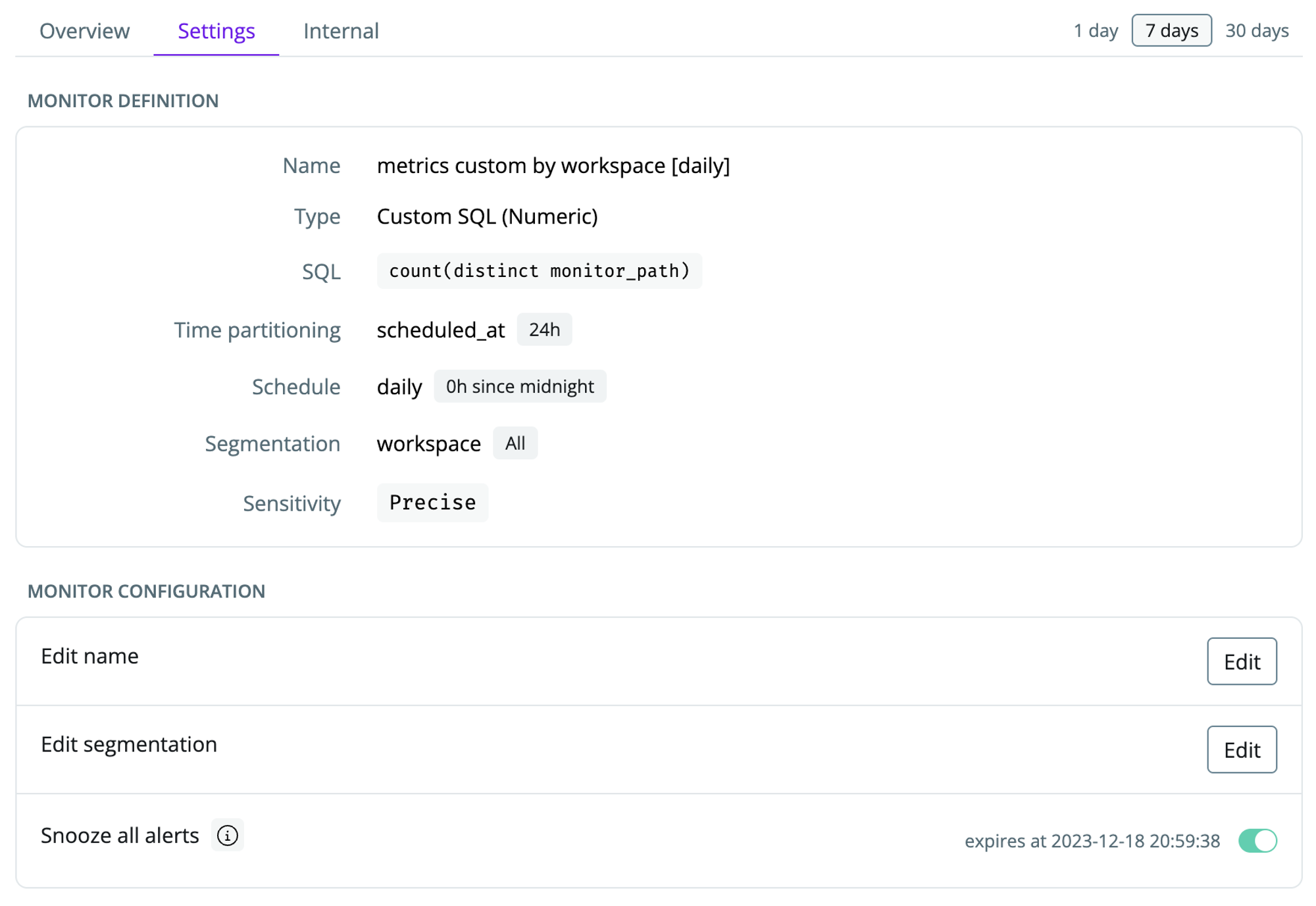
Open a monitor, click `Settings`, and toggle `Snooze all alerts` to mute the monitor for 7 days.
 ## Muting or unmuting multiple monitors
You can mute multiple monitors in one go.
In the [health section](https://app.synq.io/healthz/monitors), select all the monitors that you want to bulk edit, click `Select action`, and `Mute (7 Days)` to snooze the selected monitors for 7 days.
## Muting or unmuting multiple monitors
You can mute multiple monitors in one go.
In the [health section](https://app.synq.io/healthz/monitors), select all the monitors that you want to bulk edit, click `Select action`, and `Mute (7 Days)` to snooze the selected monitors for 7 days.
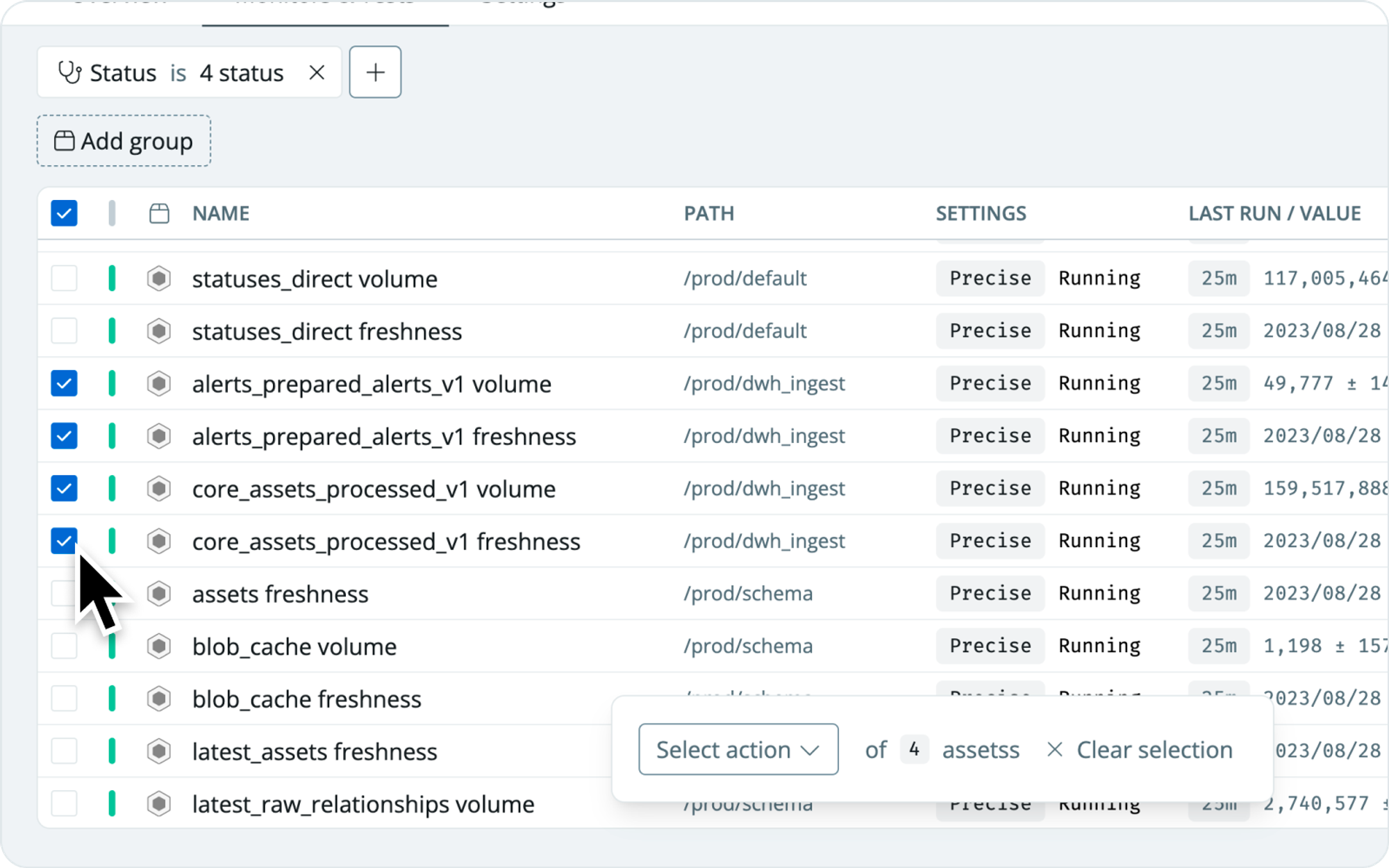 In cases where you have many monitors, you can use the filter menu at the top to narrow down your selection. If you want to search for monitors that match a specific string, use the `Query` option