> ## Documentation Index
> Fetch the complete documentation index at: https://docs.synq.io/llms.txt
> Use this file to discover all available pages before exploring further.
# Setting up deployment rules
Deployment Rules define where and how monitors apply across your data stack. Instead of manually adding individual monitors, you can set up rules that dynamically apply the right monitors based on your data source, Data Product, or specific table groups.
**Key Benefits**:
* Faster setup – Apply monitoring in bulk instead of configuring each asset manually
* Better control – Adjust sensitivity and thresholds across multiple monitors at once
* More flexibility – Define and manage exclusions and overrides
## Setting Up Deployment Rules
* Navigate to `Deployment Rules` under `Health`
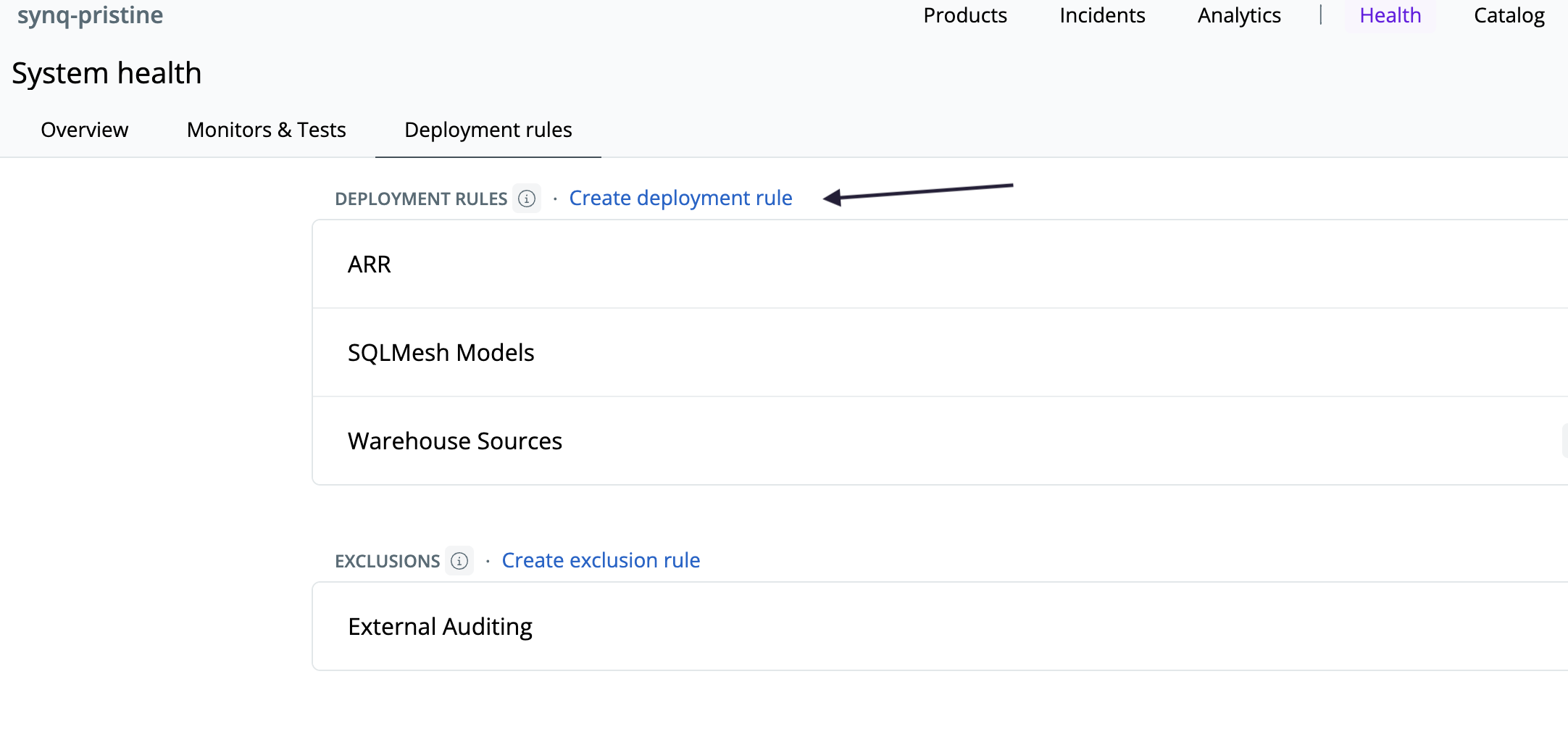 * Click **Create Deployment Rule**
* Choose the `Sensitivity` ([read more](/monitors/monitor-sensitivity)), `Severity`, and `Metrics` ([read more](/monitors/monitors-overview))
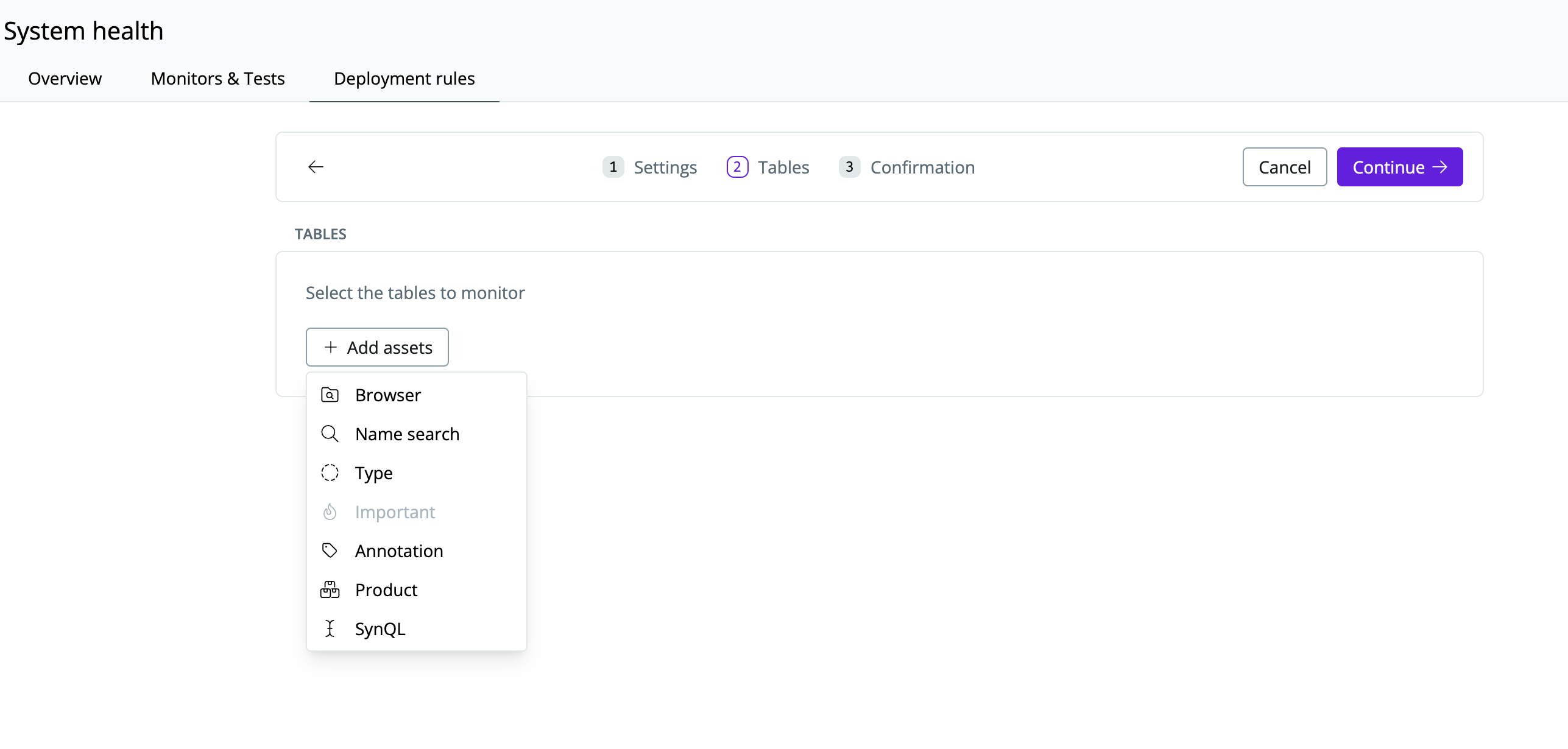
* Select the assets you want to monitor
* Click **Create Deployment Rule**
* Choose the `Sensitivity` ([read more](/monitors/monitor-sensitivity)), `Severity`, and `Metrics` ([read more](/monitors/monitors-overview))
* Select the assets you want to monitor
 Avoid applying rules too broadly—too many alerts can lead to noise. Use exclusions and overrides to refine rule coverage.
* You can also set up Exclusion rules to exclude specific assets from a rule under the `Deployment Rules` page.
## Adjusting & Managing Deployment Rules
Once configured, Deployment Rules will automatically apply monitoring. However, you can still refine them. On the `Deployment rules` page:
* **Edit a rule** to add/remove assets
* **Change sensitivity settings** if alerts are too frequent or too infrequent
* **Disable a rule** if it no longer applies
## Best Practices for Deployment Rules
See [Monitors overview](/monitors/monitors-overview) for best practices when setting up monitors. Specifically for deployment rules, we recommend you consider:
* **Use exclusions to reduce noise** - remove temporary tables, or datasets where fluctuations are expected.
* **Override sensitivity** - for example, for financial data configure tighter alert thresholds to detect even small anomalies. For less important data set a looser threshold to only get alerted on significant deviations.
Avoid applying rules too broadly—too many alerts can lead to noise. Use exclusions and overrides to refine rule coverage.
* You can also set up Exclusion rules to exclude specific assets from a rule under the `Deployment Rules` page.
## Adjusting & Managing Deployment Rules
Once configured, Deployment Rules will automatically apply monitoring. However, you can still refine them. On the `Deployment rules` page:
* **Edit a rule** to add/remove assets
* **Change sensitivity settings** if alerts are too frequent or too infrequent
* **Disable a rule** if it no longer applies
## Best Practices for Deployment Rules
See [Monitors overview](/monitors/monitors-overview) for best practices when setting up monitors. Specifically for deployment rules, we recommend you consider:
* **Use exclusions to reduce noise** - remove temporary tables, or datasets where fluctuations are expected.
* **Override sensitivity** - for example, for financial data configure tighter alert thresholds to detect even small anomalies. For less important data set a looser threshold to only get alerted on significant deviations.