> ## Documentation Index
> Fetch the complete documentation index at: https://docs.synq.io/llms.txt
> Use this file to discover all available pages before exploring further.
# Business Alerts
Most data quality issues can be traced back to changes made by upstream teams. Often, this involves data issues directly in source systems, such as records not matching across CRM systems. Business alerts let you define triggers and write bespoke messages for alerts so they can easily be understood by non-technical teams such as marketing, operations, and sales.
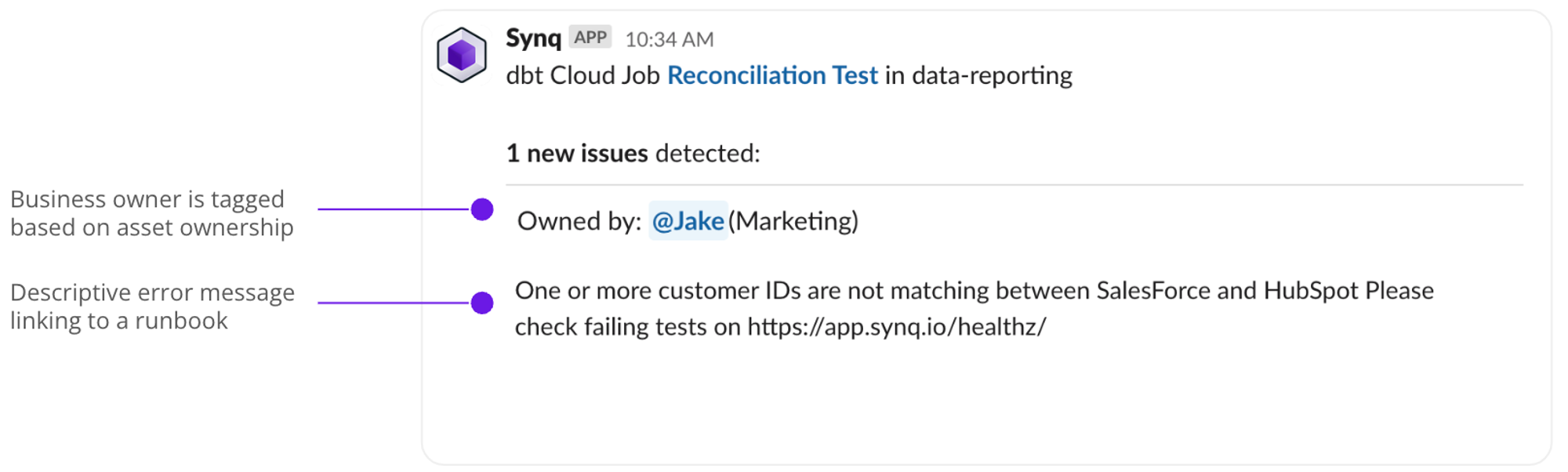 ### **Setting up a business alert**
* Head to [owners](https://app.synq.io/owners-v2) and create a new owner group or select an existing one
* Select the owner group and click `Create alert` in the *Business Alerts* section to create a new alert
* Select the relevant assets — use the *Browser* to select specific assets or *Annotation* to select assets by their metadata tag
### **Setting up a business alert**
* Head to [owners](https://app.synq.io/owners-v2) and create a new owner group or select an existing one
* Select the owner group and click `Create alert` in the *Business Alerts* section to create a new alert
* Select the relevant assets — use the *Browser* to select specific assets or *Annotation* to select assets by their metadata tag
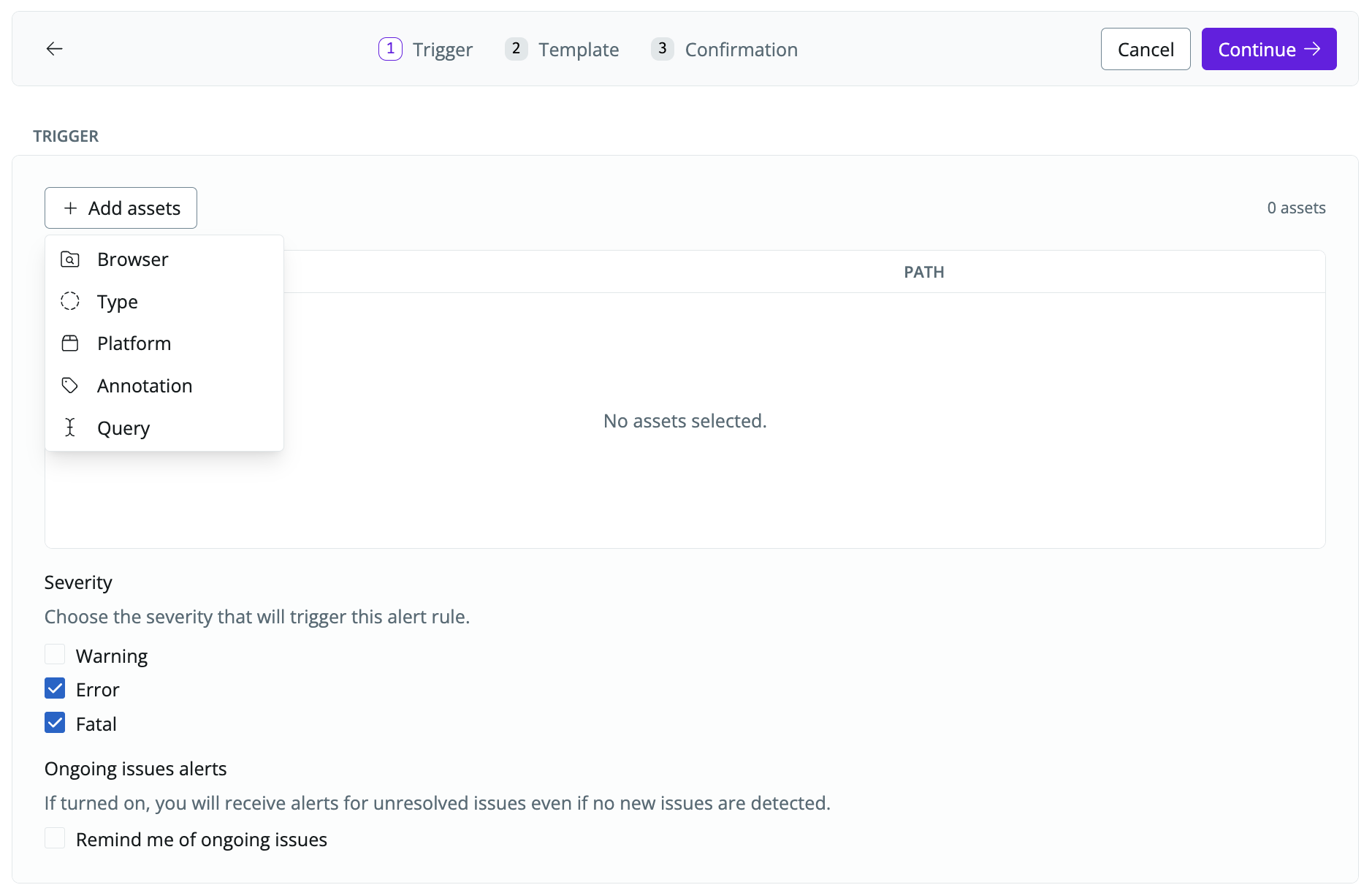 You can select specific tests (from dbt, SQLMesh, or Coalesce Transform) or monitors if you have business rules encapsulated by these, and create a separate business alert for each rule to tailor the message for different use cases.
* Tailor the template subject and message to a message that business users can understand (e.g., `duplicate customer ID flagged in SalesForce. See runbook for how to identify and fix the issue here: https://www.notion.so/Business-alerts-fc2085f5c42147f196c9410fb2ff6720`)
You can select specific tests (from dbt, SQLMesh, or Coalesce Transform) or monitors if you have business rules encapsulated by these, and create a separate business alert for each rule to tailor the message for different use cases.
* Tailor the template subject and message to a message that business users can understand (e.g., `duplicate customer ID flagged in SalesForce. See runbook for how to identify and fix the issue here: https://www.notion.so/Business-alerts-fc2085f5c42147f196c9410fb2ff6720`)
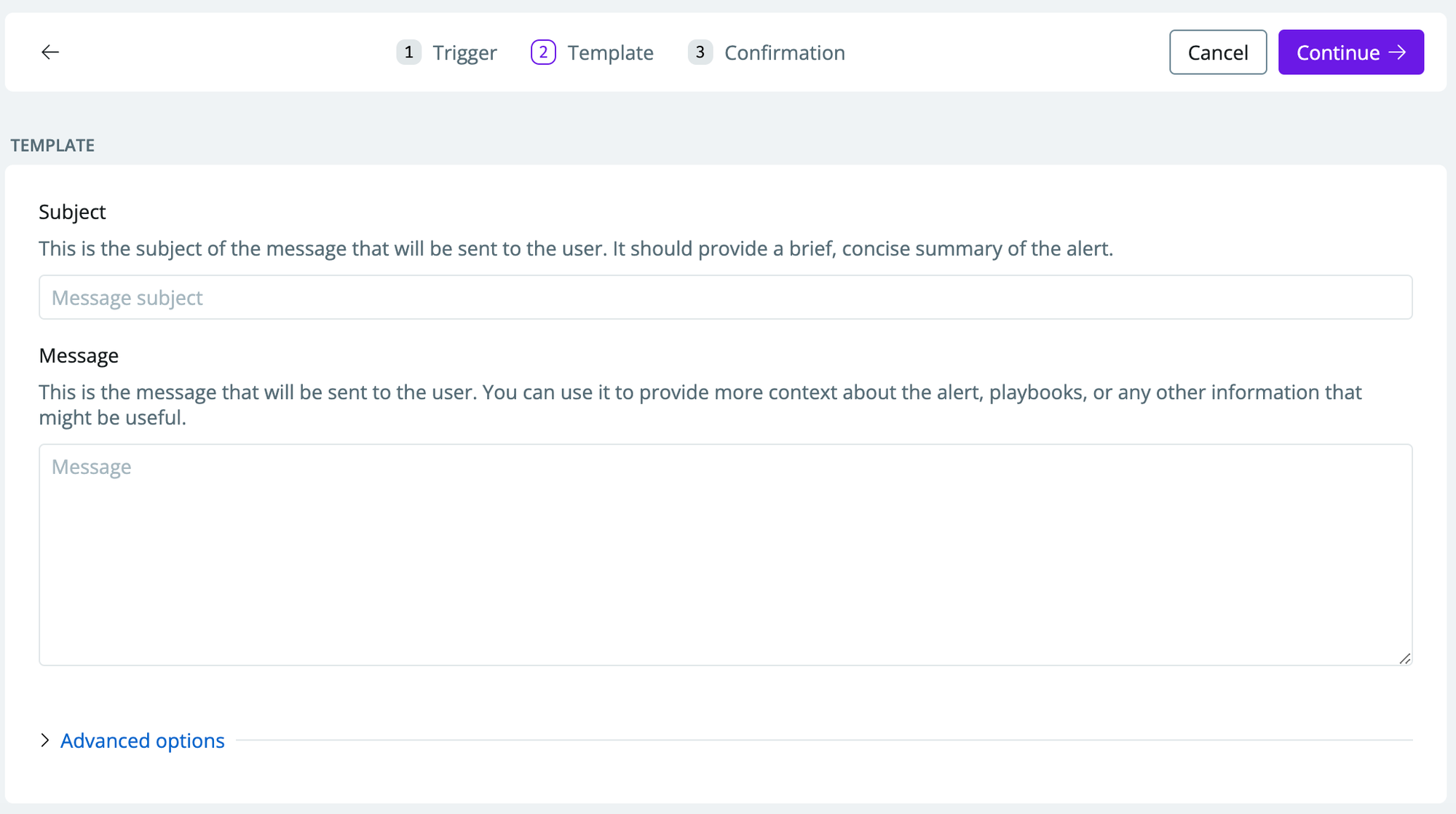 * Click continue on the confirmation page to activate the business alert
### Editing an existing business alert
* Head to [owners](https://app.synq.io/owners-v2) and select the owner group where you created the business alert
* Click the three dots and select rename, `Edit Trigger`, `Edit Template`, or `Delete`
* Click continue on the confirmation page to activate the business alert
### Editing an existing business alert
* Head to [owners](https://app.synq.io/owners-v2) and select the owner group where you created the business alert
* Click the three dots and select rename, `Edit Trigger`, `Edit Template`, or `Delete`
